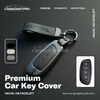
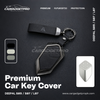
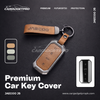
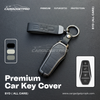
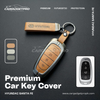
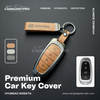
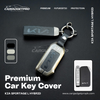
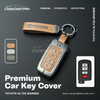
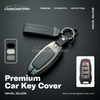
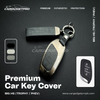
How to Fit a Metal Car Key Cover – Step by Step Guide
One of the most common questions we get at CARGADGETPRO is — is it difficult to install a metal car key cover? The answer is no. It takes under two minutes, requires no technical knowledge, and everything you need comes in the box. Here's exactly how to do it.
What Comes in the Box
Every CARGADGETPRO metal car key cover order includes three things — the metal key cover shell, a branded keychain, and a small screwdriver. That screwdriver is the only tool you'll need for the entire installation.
Before You Start
Make sure you've selected the correct model for your car. Each cover is precision-fitted to a specific key shape. If you're unsure, check the reference photo on the product page or send us a photo of your key through our Contact page before ordering. Fitting the wrong model is the only thing that can make this process difficult.
Step by Step Installation
Step 1 — Identify your cover pieces
Open the box and lay out the pieces. Your metal key cover comes in two halves — a front shell and a back shell — along with screws and your keychain.
Step 2 — Remove your key from any existing cover
If your key is currently in a rubber or silicone cover, remove it first. Your bare original key should be clean and dry before installation.
Step 3 — Place your key into the back shell
Take the back half of the metal cover and align your key inside it. The buttons on your key should line up with the corresponding cutouts in the cover. Take a moment to make sure everything is aligned before moving to the next step — this is the most important part of the process.
Step 4 — Press the front shell into place
Take the front half of the cover and press it firmly onto the back half, sandwiching your key between them. You should feel and hear it click into position. The two halves should sit flush with no gaps.
Step 5 — Tighten the screws
Using the included screwdriver, tighten the screws on the cover. Don't overtighten — firm is enough. The screws lock the two halves together and ensure your key stays secure inside the cover.
Step 6 — Attach the keychain
Thread the included keychain through the ring at the top of the cover. Your installation is complete.
Testing After Installation
Once fitted, test all functions before driving anywhere:
- Press each button and confirm it responds normally
- If your car has keyless entry, walk up to your car and confirm the door unlocks as usual
- If your car has push-start, sit inside and confirm the engine starts normally
All of these should work perfectly. The cover is designed with precise cutouts and signal-transparent materials to ensure zero interference with your key's functionality.
Common Questions
My buttons feel stiff after fitting — is that normal?
Slight stiffness on the first few presses is normal as the cover settles. It loosens up within a day of normal use. If buttons feel completely unresponsive, double check that your key is aligned correctly inside the cover.
The two halves aren't sitting flush — what do I do?
This usually means the key isn't seated correctly in the back shell. Open the cover, reposition the key so all cutouts align properly, and press the front shell on again.
Can I remove the cover later?
Yes. Simply unscrew the screws with the included screwdriver and the cover opens immediately. Your original key is completely unmodified throughout.
That's All There Is to It
Two minutes, one screwdriver, no expertise required. It's one of the easiest car accessory installations you'll ever do — and the result is a key that looks and feels premium every single time you pick it up.
Haven't ordered yet? CARGADGETPRO covers 60+ Pakistani car models including Toyota, Honda, Suzuki, Kia, Hyundai, MG, Haval and more. Free delivery on orders above Rs.2,999.
Shop Metal Car Key Covers → www.cargadgetpropk.com/products/premium-zinc-alloy-car-key-cover